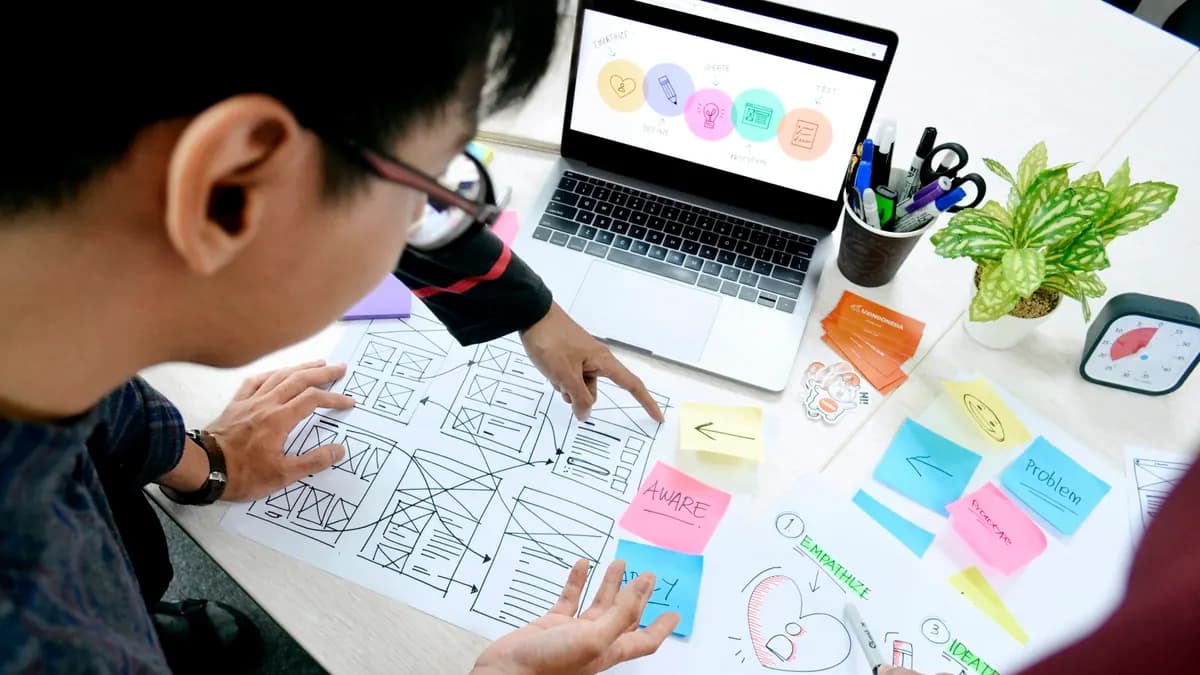
Most website projects that disappoint do not fail in the code. They fail earlier: the build starts before anyone has agreed what the site needs to do, content is treated as something to add at the end, and launch is treated as the finish line. This guide walks through how a well-run website design and development project works, so you know what to expect, what to ask for, and where your input matters most.
If you are still at the budgeting stage, start with our guide to website development prices in South Africa, which covers costs and timelines.
What is the difference between website design and website development?
Website design decides what the site does and how it looks and feels: its structure, the journey a visitor takes, the layout of each page and the visual style. Website development turns that design into a working site: the code, the content management system, integrations with other systems, performance and security. The best results come when the two are planned together, because a design that cannot be built well, or code that ignores the design, both cost money to fix.
What are the stages of a website project?
| Stage | What happens | Your input |
|---|---|---|
| 1. Goals and scope | Agree what the site must achieve, who it is for, and the features it needs | Business goals, target customers, budget, deadline |
| 2. Sitemap and user journeys | Plan every page and the path a visitor takes to enquire, buy or book | Confirm services, priorities and the main actions |
| 3. Wireframes | Simple layouts of key pages showing structure and content order, without visual styling | Approve structure before design starts |
| 4. Visual design | Colour, type, imagery and components applied to the wireframes | Brand assets and feedback from one decision-maker |
| 5. Content | Copy, photos and video written and gathered for every page | Facts, approvals, and often the content itself |
| 6. Development | The site is built, connected to other systems and loaded with content | Access to accounts and systems it connects to |
| 7. Testing and launch | Checked on real devices, for speed, forms, tracking and redirects, then made live | Final sign-off |
| 8. Measure and improve | Real visitor behaviour reviewed and key pages improved | Feedback from sales and customers |
Why does planning matter so much?
Because every later decision depends on it. A clear goal, such as more quote requests from Gauteng construction firms, decides which pages exist, what goes at the top of each one and how success is measured. Without it, design becomes a matter of taste and the project drifts. Changes are cheap on a sitemap, more expensive in design, and most expensive once the site is built, so time spent planning saves money later.
What are wireframes and why use them?
Wireframes are simple, unstyled layouts of a page that show what goes where and in what order: headline, proof, services, call to action. They let everyone agree on structure and priorities before colour and imagery come into it. Reviewing a wireframe keeps the conversation on what a visitor needs to see, rather than on whether the blue is right.
What makes good website design for South African visitors?
- Mobile first: design for a phone screen and mobile data, then expand for larger screens.
- Fast by design: fewer, lighter images and fonts, and no heavy effects that slow the first view. See our guide to website speed.
- Clear next steps: a visible way to call, send a WhatsApp message or request a quote on every important page.
- Trust signals early: real photos, client names you are allowed to share, physical address and contact details.
- Plain language: write the way your customers talk, and explain services before selling them.
- Consistent components: buttons, forms and cards that look and behave the same everywhere.
Why does website accessibility matter?
An accessible website works for everyone, including people who use screen readers, navigate with a keyboard, have low vision or colour blindness, or are simply using a small screen in bright sunlight. The recognised standard is the Web Content Accessibility Guidelines (WCAG); aim for version 2.2 at level AA. In practice that means sufficient colour contrast, text alternatives for images, forms with proper labels, visible focus states and pages that can be used without a mouse. Accessibility also overlaps heavily with good SEO and usability, so it improves the site for every visitor.
Who should write the website content?
Whoever writes it, the business must supply the facts: services, prices or price ranges, processes, proof and the questions customers ask. Content is the most common cause of delay in website projects, so agree early who writes each page, who approves it and by when. Writing content alongside the wireframes, rather than after the build, produces better pages and avoids designs that do not fit the real words.
What should be tested before launch?
- Every page on real phones and browsers, not only on a desktop screen.
- Speed on mobile data, against Google’s Core Web Vitals.
- Every form, button, phone link and WhatsApp link, end to end.
- Analytics and conversion tracking firing on the right actions.
- Redirects from the old site’s URLs, so search rankings are not lost.
- Accessibility basics: contrast, keyboard navigation and image descriptions.
- Page titles, descriptions and structured data for search engines.
What happens after a website launches?
Launch is when real data starts. Review which pages attract visitors, where they leave and which actions they take, then improve the pages that matter most. Keep content current, add pages that answer the questions customers ask, and keep software and security up to date. A site that is improved every quarter steadily outperforms one that is left alone until the next redesign. Our conversion optimisation service is built around exactly this work.
Frequently asked questions
How long does website design and development take?
Typically 2–3 weeks for a brochure website, 3–6 weeks for a custom business website and 6–10 weeks for an e-commerce store, once content and decisions are ready. Planning, content and approvals usually take as long as the build itself.
What is the difference between UI and UX design?
UX (user experience) design is about how the site works for the visitor: structure, journeys and how easily they complete a task. UI (user interface) design is how it looks and feels: layout, colour, type and components. Good websites need both.
What should I prepare before starting a website project?
Your goals for the site, a list of services and target customers, any brand assets, examples of websites you like, access to your domain and existing site, and a clear decision-maker for approvals.
Does my website need to meet accessibility standards?
Aiming for WCAG 2.2 level AA is good practice for every business website. It makes the site usable for people with disabilities and improves usability and search performance for everyone.
Should I redesign or improve my current website?
If the structure is sound and the site is reasonably fast, improving key pages is usually better value. If it is slow, hard to update or built on an outdated platform, a redesign often costs less over time. A free Growth Score check is a good place to start.